
9771 SMS Registration Failed? Causes & Fixes (2026)
A 9771 SMS registration failure can happen for several reasons. Incorrect submitted information, CNIC mismatches, vehicle record issues, eligibility problems, or temporary service errors can cause rejection. First, check the vehicle registration details, CNIC information, registered province, and SMS format. Also confirm that your vehicle meets the current petrol subsidy requirements before trying again.
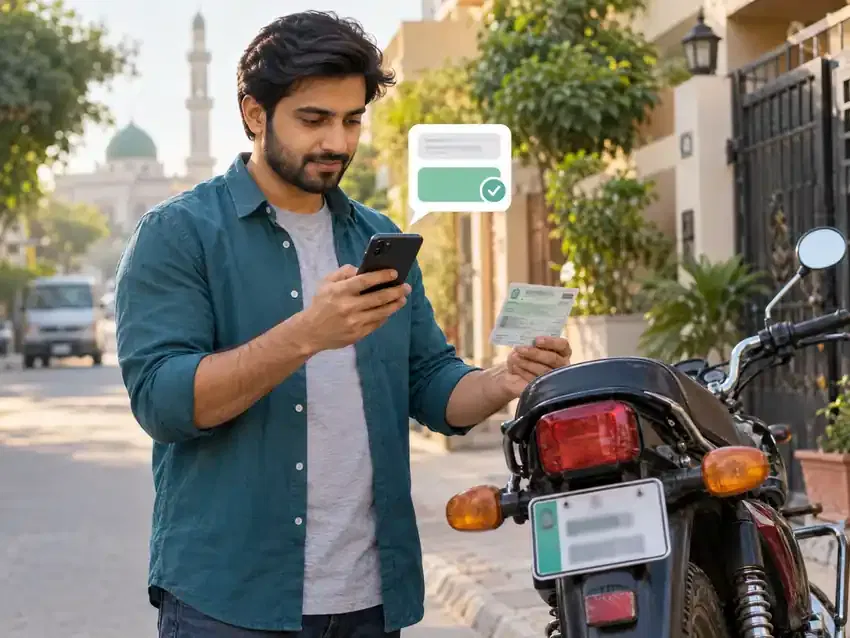
Why Is 9771 SMS Registration Failing?
Use this table to identify the area that may need checking:
Problem | What to check |
|---|---|
Registration failed | Submitted vehicle and registration details |
SMS not sending | Mobile network and SMS service |
No reply | SMS delivery or service issue |
CNIC issue | Identity information |
Vehicle issue | Vehicle record |
Province issue | Registered province |
Date issue | Vehicle registration date |
Already registered | Existing registration |
Check Your 9771 Registration SMS Format
The official registration process requires four details: CNIC number, vehicle number, province code, and registration date. The government specifies the following SMS structure for registration.
REG [CNIC] [Vehicle Number] [Province Code] [Registration Date]- REG: The registration command.
- CNIC: Enter your 13-digit CNIC number.
- Vehicle Number: Enter the vehicle number from its registration record.
- Province Code: Enter the first letter of the vehicle’s registered province or territory.
- Registration Date: Enter the vehicle’s official registration date.
Keep the details in the correct order before sending the SMS to 9771. The government also made registration SMS free.
Common Reasons for 9771 Registration Failure
A failed registration usually means one or more submitted details need checking. The sections below cover the most common problems.
Incorrect CNIC
Enter the same 13-digit CNIC linked to your registration information. Check every digit before sending the SMS.
Do not add dashes or extra spaces inside the CNIC number.
A single incorrect digit can prevent the system from matching your information.
SIM and CNIC Verification Problem
Check whether your mobile SIM meets the scheme’s verification requirements.
The relevant registration information must match the records used for verification. An official Gilgit-Baltistan scheme page states that the SIM must be registered to the same CNIC.
If your SIM belongs to another person, verify its ownership before trying again.
Incorrect Vehicle Number
Check the vehicle number against your official registration documents.
Pay attention to letters, numbers, and their exact order. Avoid adding spaces or punctuation unless the official instructions require them.
A small difference can prevent the submitted vehicle number from matching the vehicle record.
Wrong Province Code
The province code must represent the province or territory where the vehicle is registered.
Do not use a code based only on your current location.
If you need the correct code, see our 9771 province code guide.
Incorrect Vehicle Registration Date
Use the vehicle’s official registration date from its registration record.
Do not use the purchase date, transfer date, or another date shown on unrelated documents.
The registration SMS specifically requires the vehicle registration date.
Check the date carefully before sending another SMS.
Vehicle Record Mismatch
A registration can fail when the submitted details do not match the official vehicle record.
Compare your SMS details with the vehicle documents. Check the vehicle number, registration date, province, and CNIC information.
If the documents show different information, use the official vehicle record as your reference.
You can also seek help through the scheme’s support channel. The government announced a 24-hour control room for registration complaints.
Vehicle Eligibility Problem
Eligibility can also affect registration when the vehicle does not meet the scheme’s requirements.
For example, the scheme covers motorcycles, three-wheelers, and eligible cars up to 800cc.
Check the latest requirements before sending another registration SMS.
Vehicle Already Registered
An already registered message differs from a failed registration.
A failed registration means the system could not complete your submission.
An already registered message usually means the vehicle or applicant already has a registration record.
In that case, sending the same registration request repeatedly may not solve the issue. Check your existing registration status and follow the instructions in the response SMS.

9771 SMS Not Sending vs Registration Failed
These two problems look similar, but they happen at different stages.
SMS not sending means your phone cannot successfully send the message to 9771. Network, SMS service, or phone-related issues may cause this problem.
Registration failed means the SMS reaches the system, but the registration request does not complete. Incorrect information or a record mismatch can cause this result.
The government confirms that registration uses SMS to 9771 and requires four basic details.
Problem | What it means | What to check |
|---|---|---|
SMS not sending | Your message does not leave your phone | Network, SMS service, and balance |
No reply | You sent the SMS but received no response | Delivery and service availability |
Registration failed | The system processed your request but rejected it | CNIC, vehicle, province, date, and eligibility |
Already registered | A registration record already exists | Existing registration status |
How to Fix 9771 SMS Registration Failed
Follow these steps in order. Check each detail before sending another request.
Step 1: Check Your CNIC
Check your 13-digit CNIC number carefully.
Compare every digit with your original CNIC. Remove dashes and avoid typing extra characters.
A single wrong digit can prevent the system from matching your information.
Step 2: Verify the Required SIM/Identity Information
Check the identity information connected with your registration.
Make sure you use the correct mobile number and required identity details. Also check whether your SIM meets the scheme’s current verification requirements.
Do not repeatedly send requests before correcting an identity mismatch.
Step 3: Check Your Vehicle Number
Compare the vehicle number with your official registration documents.
Check every letter and number carefully. Do not rely on memory when entering the plate number.
A small difference can cause the submitted details to mismatch the vehicle record.
Step 4: Confirm the Province Code
Use the first letter of the province where the vehicle is registered.
Your current location does not determine this code.
For example, a vehicle registered in Punjab needs the applicable Punjab code.
Check the correct format before sending the SMS.
Step 5: Confirm the Vehicle Registration Date
Use the vehicle’s official registration date.
Do not substitute the purchase date or transfer date.
The government lists the vehicle registration date among the required registration details.
Check the date against your vehicle documents before resending the request.
Step 6: Check Current Eligibility
Confirm that your vehicle currently meets the scheme’s eligibility rules.
The scheme covers motorcycles, rickshaws, and eligible vehicles up to 800cc.
Eligibility rules can affect whether the system accepts your registration.
Check the latest requirements before trying again.
Step 7: Compare Your Vehicle Information With Official Records
Compare all submitted information with your official vehicle record.
Check these four items:
- CNIC number
- Vehicle number
- Province
- Registration date
Step 8: Correct the SMS
Prepare the message again after checking every detail.
Use the required format:
REG [CNIC] [Vehicle Number] [Province Code] [Registration Date]Keep the information in the correct order. The government confirms this format for registration through 9771.
Step 9: Resend the Registration Request
Send the corrected SMS to 9771.
The government made registration SMS messages free under the fuel relief scheme.
Wait for the system response before sending another request.
Avoid sending repeated messages with unchanged information.
Step 10: Contact the Official Channel if It Continues to Fail
If registration still fails after checking everything, contact the official support channel.
The government announced a 24-hour control room for registration complaints. Citizens can call 9771 to report registration problems.
Registration facilitation desks and camps have also been established in some areas to help citizens complete the process.
When contacting support, keep your CNIC and vehicle documents available. This helps you explain the problem clearly.
What If All My Information Is Correct but Registration Still Fails?
Sometimes your SMS details can look correct, but registration may still fail. The submitted information must match the relevant official records.
A vehicle record mismatch can cause problems even when your documents appear correct. Check the vehicle number, registration date, and province against the official record.
Temporary technical problems can also affect the service. The government has acknowledged registration complaints and established a 24-hour control room. Citizens can call 9771 for registration problems.
Keep these details ready:
- CNIC
- Vehicle registration documents
- Vehicle number
- Registration date
- Province information
- The SMS you sent
- Any response received from 9771
Avoid sending the same request repeatedly when all details already match. First check whether the problem comes from the official record or service.
If the problem continues, contact 9771 for official assistance.
What Does “Already Registered” Mean?
An “already registered” response is different from a registration failure.
It usually indicates that the system already has a registration record for the submitted details. The government describes registration as a one-time process.
Sending REG repeatedly may not create another registration. First check your existing registration status.
Registration also differs from token generation. You register first, then request a fuel token through TOK before refueling.
For the token process, see our 9771 Petrol Subsidy Token guide.
What Is the Difference Between REG and TOK?
The two SMS commands serve different purposes:
Command | Purpose |
|---|---|
REG | Registration |
TOK | Token-related process |
The government requires REG for registration and TOK for requesting a fuel relief token.
When Should You Contact Official Support?
Contact official support when normal troubleshooting does not solve the problem.
You should seek help if:
- Correct information keeps getting rejected.
- Your official vehicle record appears incorrect.
- Registration remains unsuccessful after checking all details.
- A technical problem continues.
- You receive unclear or conflicting responses.
The government established a 24-hour control room for registration and petrol relief complaints. Citizens can call 9771 for assistance.
Stay Safe When Fixing 9771 Registration Problems
Use official channels when resolving registration issues.
- Do not share your CNIC with random agents.
- Do not pay unofficial agents for registration.
- Do not trust unverified WhatsApp numbers.
- Do not install unknown APK files.
- Never share OTP codes with anyone.
- Verify important instructions through official government sources.
FAQs About 9771 SMS Registration Failed
Why did my 9771 SMS registration fail?
Your registration may fail because of incorrect CNIC, vehicle details, province code, registration date, eligibility, or record mismatches. Check each detail against your official documents before trying again.
Why is my 9771 SMS not working?
The SMS may fail because of mobile network, SMS service, or delivery problems. First, check your mobile service and confirm the message uses the required format.
Why did 9771 reject my vehicle information?
The submitted vehicle details may not match the official record. Compare the vehicle number, province, and registration date with your vehicle documents.
Why is my 9771 province code incorrect?
The province code identifies where your vehicle is registered. Use the correct code for the vehicle’s registered province or territory.
What should I do if my vehicle is not found?
Check the vehicle number and registration date against your official documents. If the details remain correct, contact official support for help with the vehicle record.
What should I do if 9771 does not reply?
First, check your mobile network and SMS service. Confirm that you sent the message to 9771 using the correct format. If the problem continues, contact the official support channel.
Can I resend REG after registration fails?
Yes, you can correct the information and resend REG after a failed attempt. Check every field first instead of repeatedly sending the same incorrect request.
What does “already registered” mean?
It means the system already has a registration record for the submitted information. This differs from a failed registration and usually does not require repeated REG requests.
What should I do if all my information is correct but registration still fails?
Compare your details with the official vehicle record. If everything matches, stop repeated attempts and contact 9771 for assistance. Keep your CNIC, vehicle documents, and SMS responses ready.
